
Ink cartridge maintenance · Ireland
Can you touch a printhead without ruining it?
Yes, if you keep it brief, gentle, and dry where it counts. This page explains how to handle cartridges, which materials are appropriate, and how to avoid drying — a working companion to our Cleaning Cycle Guide, meant for the job you attempt only after built-in cleaning and nozzle checks have been tried.
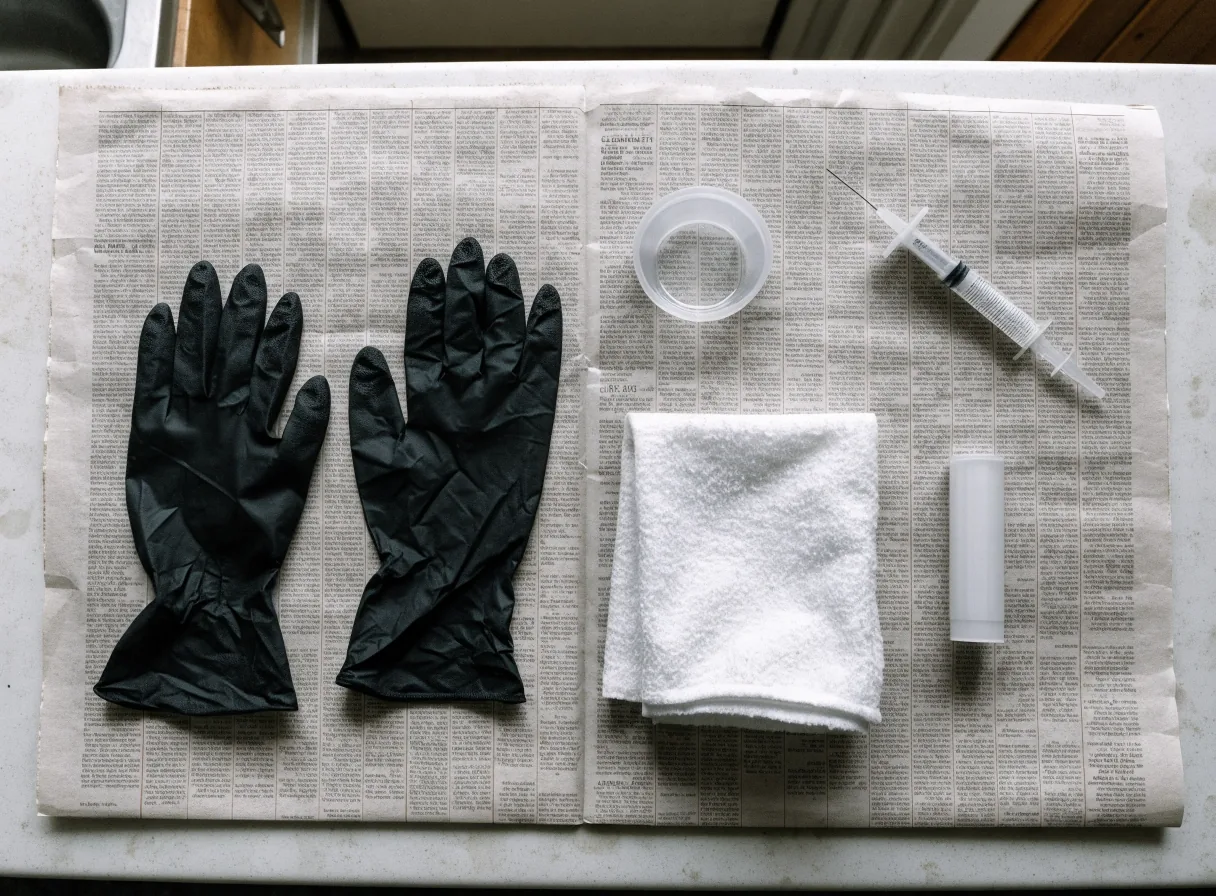
First, the table
Gather only what you need
A short list, chosen because every item lifts ink without leaving fibre or residue behind. Place the cloth on a stable table before you remove anything from the printer, and work under good light so you can see the nozzle area without tilting the cartridge.
-
Bring
Distilled water — used sparingly, it loosens dried ink without leaving minerals behind the way tap water can.
-
Bring
A foam-rubber swab — dense enough not to shed, soft enough to skim a printhead face without scratching it.
-
Bring
A lint-free cloth — folded and set under the cartridge, it catches drips and gives you somewhere clean to lay the unit down.
-
Leave out
Cotton wool that sheds, kitchen towels, tap water. HP manual cleaning guidance specifies the three materials above and no alcohol on these parts.
Keep the interval tight
Keep the out-of-printer time short
HP advises not leaving ink cartridges out of the printer for more than 30 minutes at a time. The rule appears in 2026 printhead cleaning guidance to reduce drying and handling issues. Plan your steps so the cartridge is out for minutes, not half an hour.
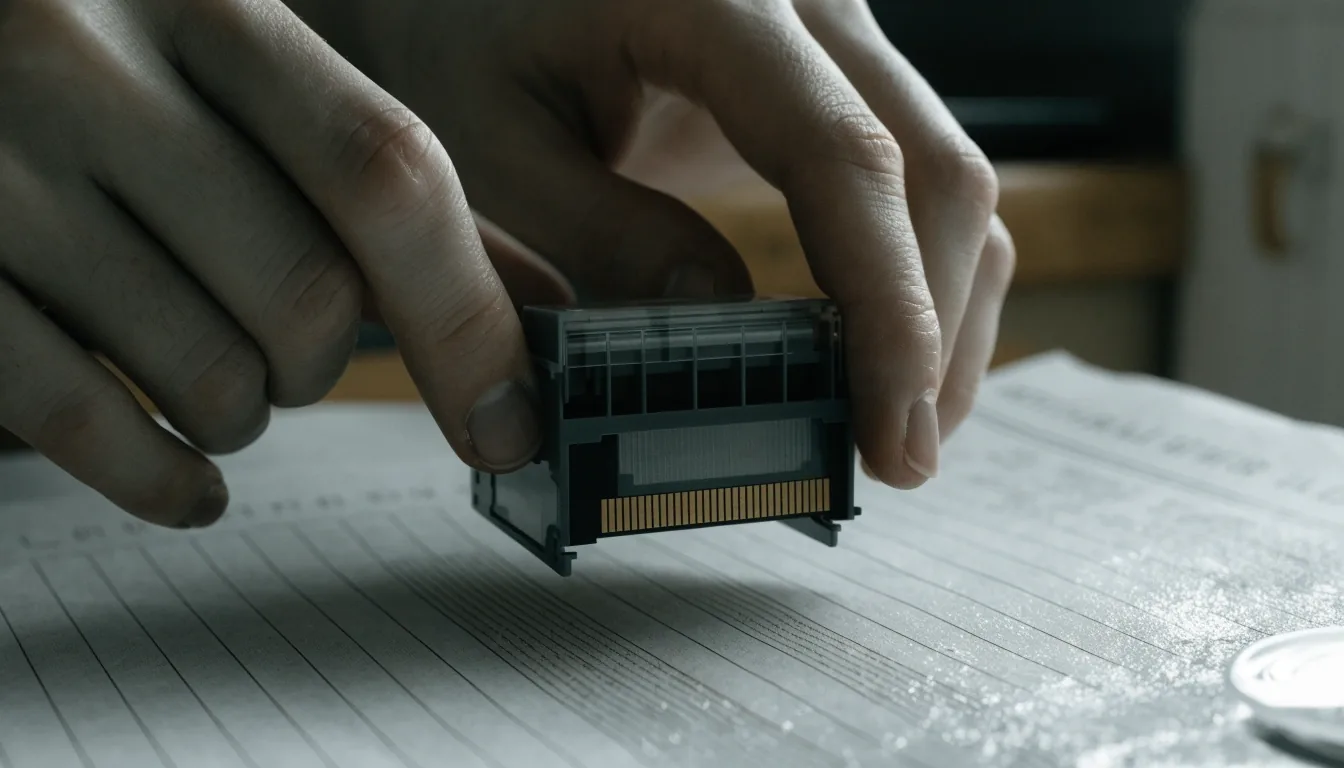
If interrupted
Reseat the cartridge, close the cover, and resume later. The printer seals the printhead while it is parked, so a paused job is safer than a cartridge left on the bench.
If you set it down
Lay it on the lint-free cloth, nozzle plate up or level. Never press the nozzle face into cloth or paper — that wicks ink out and transfers fibre into the openings.
If ink reaches skin
Wash with soap and cool water rather than solvents. Solvents can drive pigment further into the skin and dry the area around it.
Hands and placement
Hold and place cartridges correctly
Most damage at home happens in the seconds a cartridge spends between your hand and the bench. A short list of holds and places keeps that stretch clean.
- Hold the cartridge by its sides, thumbs on the plastic walls.
- Keep the nozzle plate facing up or level — never pressed into cloth or paper.
- Avoid touching the copper contacts and the nozzle openings; skin oil and lint both interfere with them.
- Set the unit on the lint-free cloth, not directly on wood or paper.
- Work over the cloth so small drips do not spread across the table.
What to watch for
Three placements that quietly cost you a printhead
What to watch for
Three placements that quietly cost you a printhead
Resting a cartridge nozzle-down on a paper towel soaks the printhead and pulls paper fibre into the openings. The towel looks absorbent, which is the trap.
Holding the cartridge by the brass contact strip leaves an oily print on the pads that tell the printer which colour it is carrying. A warning light or an unrecognised cartridge often starts there.
Leaving the cartridge upright on an open bench while you hunt for the swab lets the nozzles sit in open air. The distilled water in the dish is not going anywhere — reseat the cartridge while you search, then start again.
The pass itself
Clean with a light touch
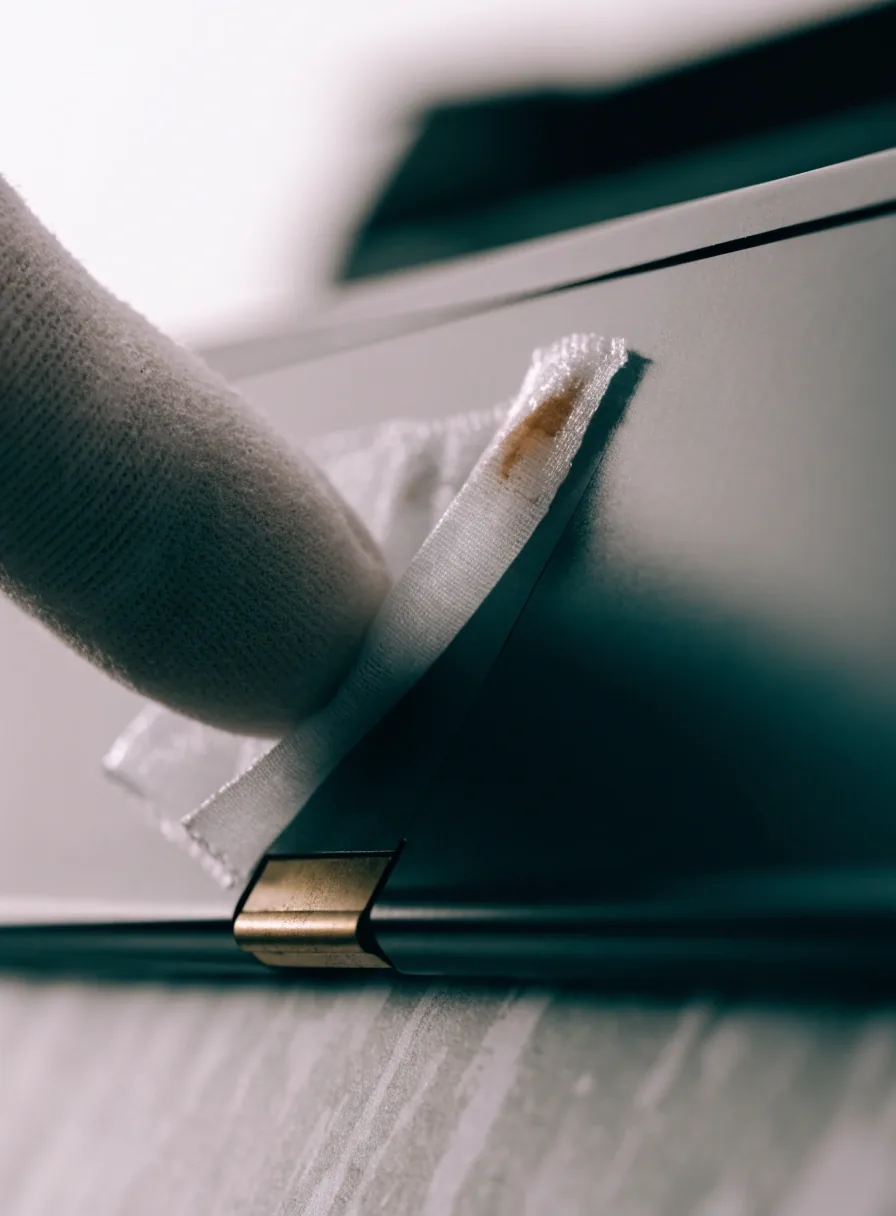
Dampen — do not soak — the foam-rubber swab with distilled water. Wipe once in one direction along the edge of the printhead area, then inspect the swab. Use a fresh swab if you need a second pass.
Steps that work in order
-
1
Fold the lint-free cloth on the table, and set the shallow dish beside it.
-
2
Dampen the foam-rubber swab just until the tip is cool to the touch — not dripping.
-
3
Wipe once, in one direction, along the edge of the printhead area. Inspect the swab — it should be lightly tinted, not saturated.
-
4
Let the area air for a minute, then reseat and run a nozzle check.
Do not scrub, do not use alcohol, and do not touch electrical strips.
While it waits
What maintenance cartridges do while you wait
HP notes that maintenance cartridges can seal printheads when not in use to prevent drying. That is part of normal cartridge maintenance, not an extra accessory to buy for every printer. It also explains why printers left idle still run short maintenance routines — the machine is parking and sealing, not wasting ink.
If your machine sat for weeks, expect a gentle restart with checks rather than forceful wiping. Sealing works best when the printer is parked correctly and switched off by its own button. If a print job was interrupted and the carriage was left mid-way, switch the printer off at the button and let it finish parking before you open the cover.
- What it does
- Caps the nozzles while the printer is idle, so the ink in the printhead does not dry out between jobs.
- What it does not do
- It will not recover a printhead that has already been scratched or run dry — that is where a replacement cartridge is the honest answer.
Aftercare
Aftercare and when to stop
Reseat the cartridge firmly, close the covers, and print a test page. One improved pattern is progress. Identical gaps after two careful attempts mean manual cleaning has done what it can.
Do not repeat wiping many times in one session — each additional pass risks the same printhead you are trying to protect.
Read the pattern
Compare the test page to the previous one and note which bands stayed broken, so the next step is a decision rather than another guess.
Check the date
Look at the expiration date and ink levels before the next wipe. An empty or expired cartridge will not improve no matter how careful the pass is.
Replace and recycle
If the printhead has gone, a replacement cartridge and a recycling route in Ireland close the loop — see the Refill and Recycling page.
Quick answers
Two questions visitors ask most
If your case is not covered here, the contact page is the fastest route to a real answer.
What is the safest liquid for a printhead or nozzle?
Distilled water applied sparingly with a foam-rubber swab, finished with a lint-free cloth. HP guidance specifies no alcohol on these parts — alcohol can dry the surface and leave residue behind the nozzles.
How long can a cartridge stay out of the printer?
Keep it under 30 minutes total, and aim for much less. Reseat it if you need to pause. If you are interrupted, the printer's own parking routine seals the printhead — the bench is the riskier place to leave it.
Where to go next
When manual cleaning is not the next move
Manual work helps in a narrow window. If streaks appeared after a cartridge change, if the printer reports an unrecognised cartridge, or if the ink level is under a fifth, run through Troubleshooting Print Quality first — the pattern on the test page usually tells you which of those three it is.
If the built-in cleaning cycle has not run this month, that is the calmer place to start: the Cleaning Cycle Guide walks through it step by step. If a cartridge has stopped working entirely, the Refill and Recycling page covers what can be refilled and where the rest goes.